Skip to content
Human resourcesInteractive prototypeVersion 1.0.0

HR and attendance software for small teams

Leave, time and people records in one place — with approvals that follow your teams.

Employee records, leave requests with approvals and balances, clock-in/clock-out, monthly timesheets and payroll preparation for small teams.

  • 72-hour private workspace
  • Pre-filled with synthetic data
  • Isolated from other users
  • No payment details required
9:41
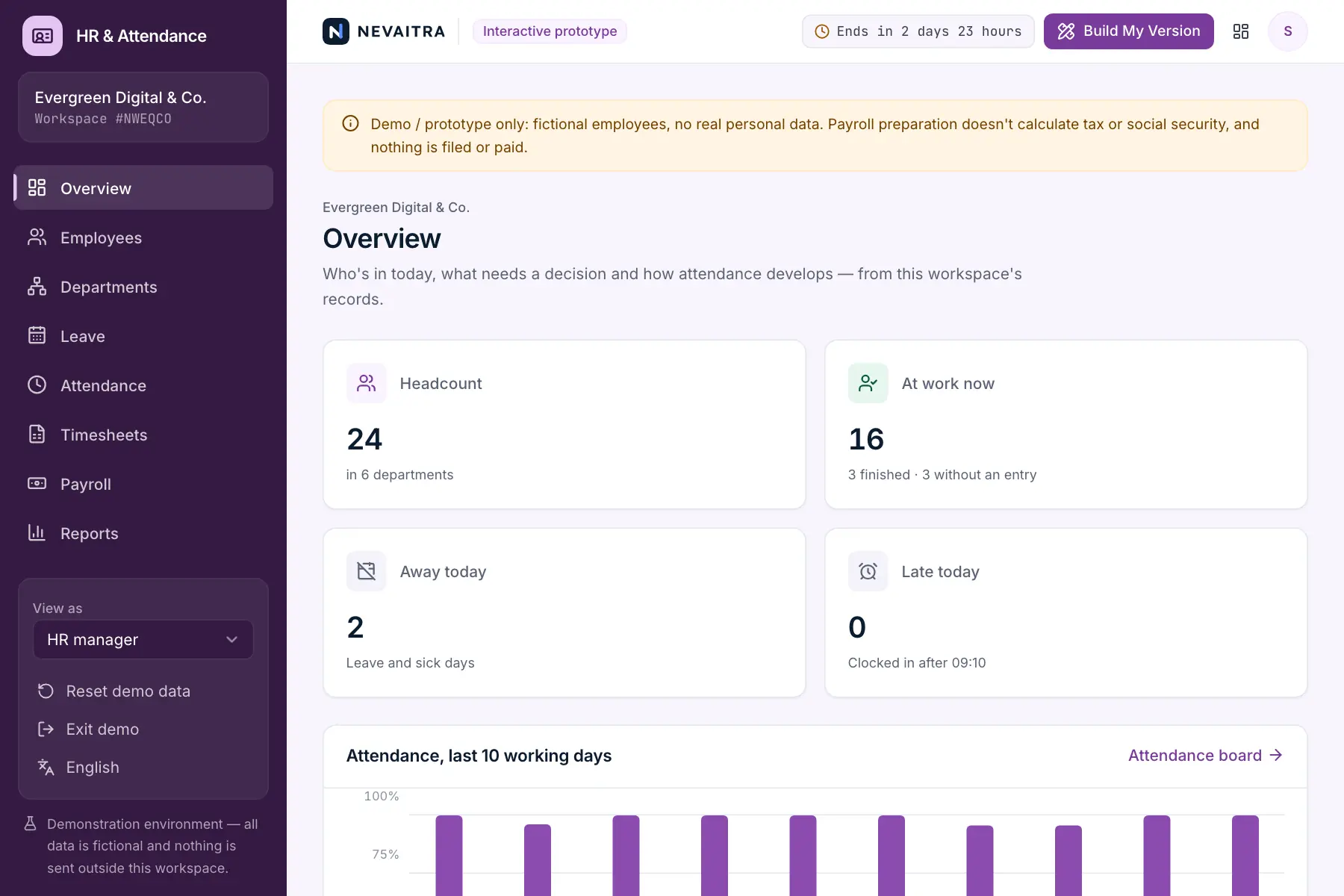
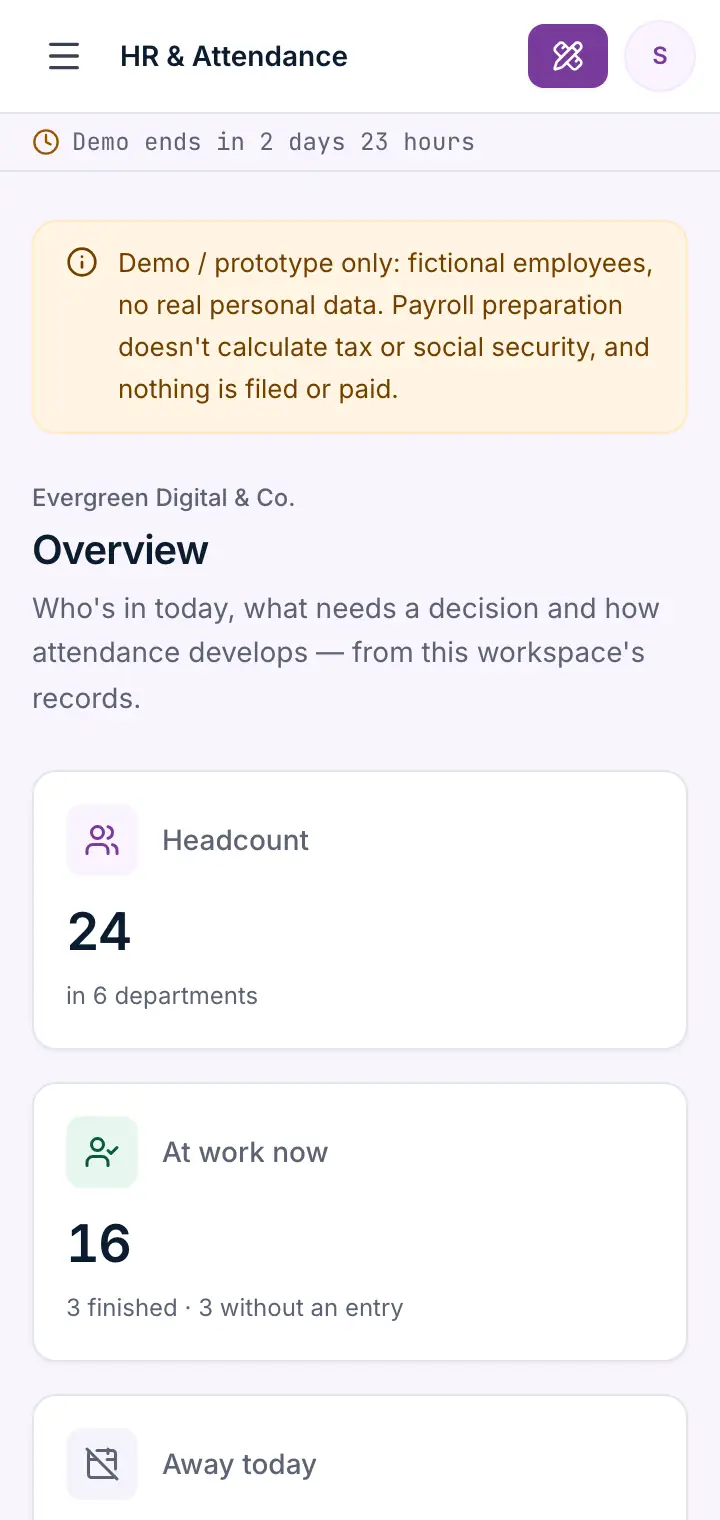
Guided preview: real screens from the live HR & Attendance demo, on a tablet and on a phone

What HR & Attendance does

An HR and attendance prototype for companies with 10 to 200 people. Keep employee records and departments, let people request leave that their team lead approves with the balance in view, clock in and out, review monthly timesheets with overtime and missing days, prepare gross payroll figures per month and see absence and sick-leave reports — with HR, team-lead and self-service roles.

This is an interactive prototype for evaluation — not a hosted product you can subscribe to. A production version is built and adapted for your organization on request.

Who it is for

  • Small and mid-sized companies still managing leave in spreadsheets or e-mail
  • HR managers who need balances, approvals and absences at a glance
  • Team leads who approve leave and check their team's hours
  • Businesses that prepare payroll with an external provider or accountant

Key features

Employee records

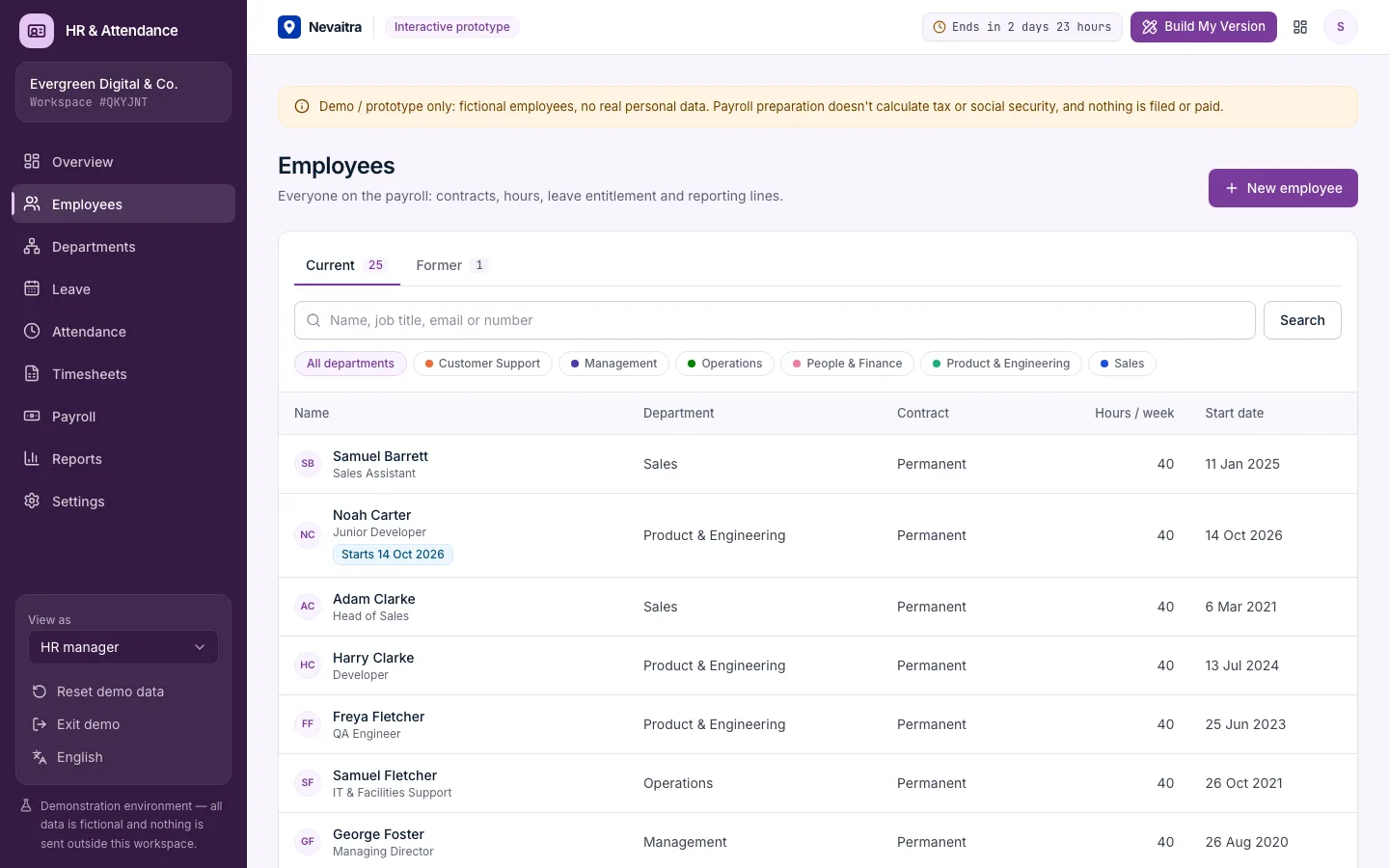
Contracts, weekly hours, leave entitlement, salary, line manager and department — with start and end dates and former employees kept apart.

Leave requests and approvals

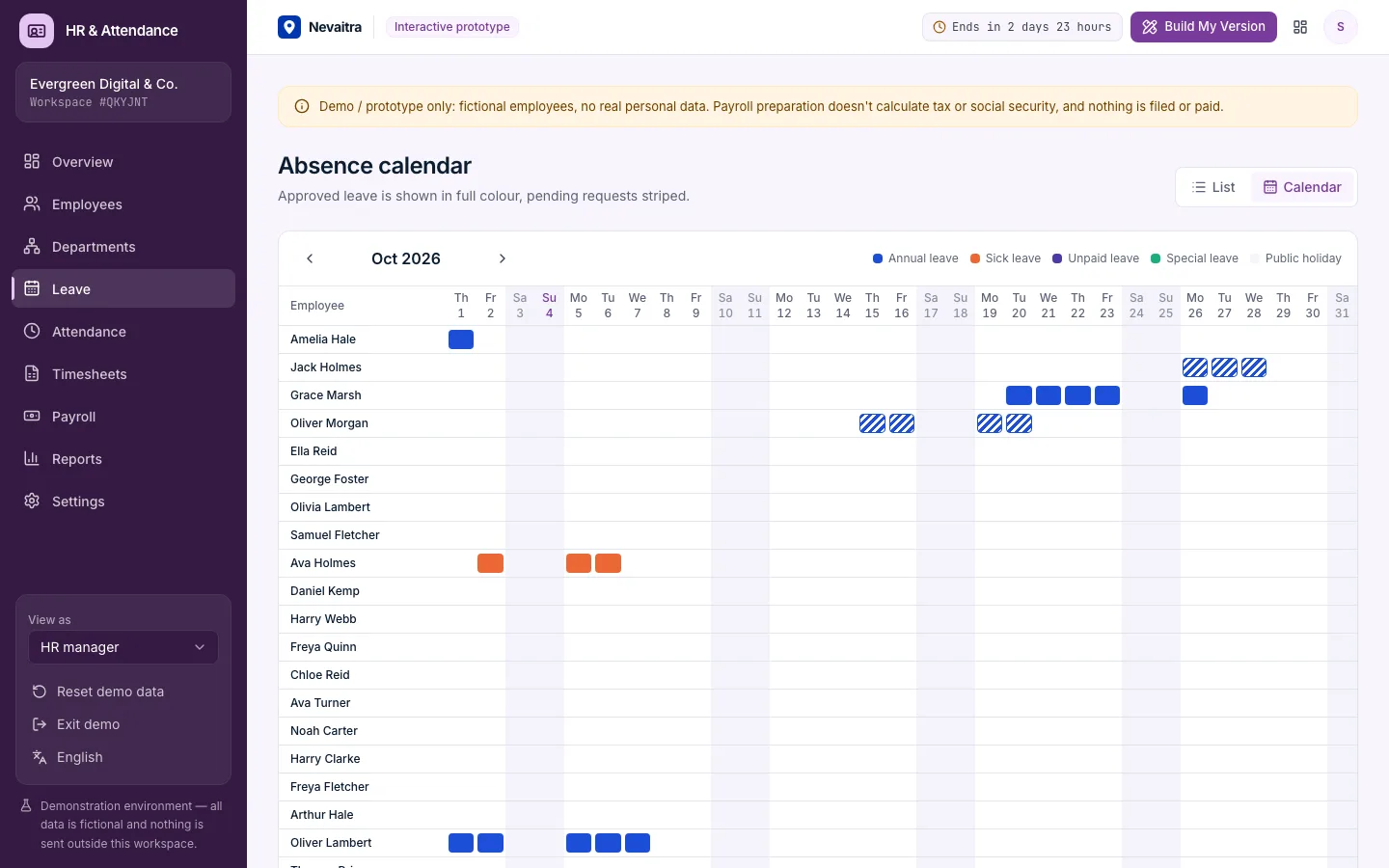
Working days are counted without weekends and public holidays; balances, overlaps and team absences are checked before anyone approves.

Clock in and out

Self-service clock for every employee; today's board shows who is working, finished, on leave or has no entry yet, and who arrived late.

Monthly timesheets

Scheduled versus worked hours per day, overtime balance, missing entries and HR corrections with a reason.

Payroll preparation

Gross figures per employee and month: pro-rata deductions for unpaid leave and partial months, overtime pay, finalised months locked.

Absence reports

Absence days per month and type, sick-leave rate per department, overtime and punctuality for the year.

Departments and heads

Teams with colours and heads; department heads and line managers approve leave for their people.

Three roles

HR manager, team lead and employee self-service — each sees and does only what the role allows.

Workflows you can try

  1. 01

    Request and approve leave

    As an employee, request days off and see the working days counted; switch to the team lead and approve or reject with a note.

  2. 02

    Clock a working day

    Clock in, clock out and see the entry on today's board and in the monthly timesheet.

  3. 03

    Fix a missing entry

    Find a day without entries in the timesheet and add the time manually with a reason.

  4. 04

    Record sick leave

    As HR, record sick leave for someone; it's on file immediately and shows in the calendar and reports.

  5. 05

    Prepare the month's payroll

    Prepare last month, check deductions and overtime pay, then finalise to lock the figures.

  6. 06

    Onboard and offboard

    Add a new employee with a future start date, or end an employment and see future leave cancelled.

Screenshots from the live demo

Captured from the current version of the prototype.

Employee directory with departments, job titles and employment status
The employee directory
Leave calendar showing approved and requested leave per employee
Leave calendar: who is away and when

How the live demo works

  1. 01Create an account or sign in with Google — no payment details needed.

  2. 02A private workspace filled with fictional sample data is created for you in seconds.

  3. 03Work through the workflows and switch the demo role in the sidebar to see what each role can do.

  4. 04Click “Build My Version” — your request includes the demo and the features you tried.

What the demo includes

  • A fictional company with about 25 employees in six departments
  • Leave requests in every status, including some waiting for approval
  • Six weeks of clock-in/clock-out entries with late arrivals and a few gaps
  • Public holidays and working week of the language you start the demo in
  • Three demo roles: HR manager, Team lead and Employee (self-service)

Demo limitations

  • Demo / prototype only — fictional people; don't enter real personal data
  • Payroll preparation only: no income tax, social security or payslips, nothing is filed or paid
  • No biometric or hardware time clocks; entries come from the browser
  • Movable public holidays have to be added by hand
  • No recruiting, performance reviews or document storage

What can be customized

  • Integration with your payroll provider or accounting software
  • Time clocks, badges or mobile apps with geofencing
  • Your leave policies: carry-over, accrual, special leave types
  • Shift planning and rosters
  • Employee documents, onboarding checklists and e-signatures
  • Single sign-on with your company directory

What happens when the demo ends

After 72 hours the workspace and every record you created are permanently deleted. Your account stays active, and you can request a customized version at any time.

Technologies

  • Next.js
  • TypeScript
  • PostgreSQL
  • Prisma
  • Tailwind CSS

Frequently asked questions

What is HR and attendance software?

It replaces spreadsheets for employee records, leave and working time: staff request leave, managers approve it, and clock-ins turn into timesheets. This demo covers employee records, leave requests with approvals and balances, clock-in and clock-out, monthly timesheets, absence reports and payroll preparation. It does not calculate taxes, produce payslips or pay salaries.

How are leave days counted?

Only working days count: the company's working weekdays minus public holidays. A half day is possible for a single day. Annual leave is checked against the pro-rata entitlement of the year, including pending requests.

Does it calculate net pay or taxes?

No. It prepares gross figures — base salary, deductions for unpaid days and overtime pay — that a payroll provider or accountant would process. Tax and social-security rules differ by country and are out of scope for the demo.

Who can approve leave?

HR can approve any request. A team lead can approve requests of their direct reports and of the department they head. Nobody can approve their own request.

Is this compliant with time-recording rules in my country?

It's a prototype, not a certified system. A production version would be adapted to your country's working-time and data-protection requirements.

View all projects
OperationsLive demo
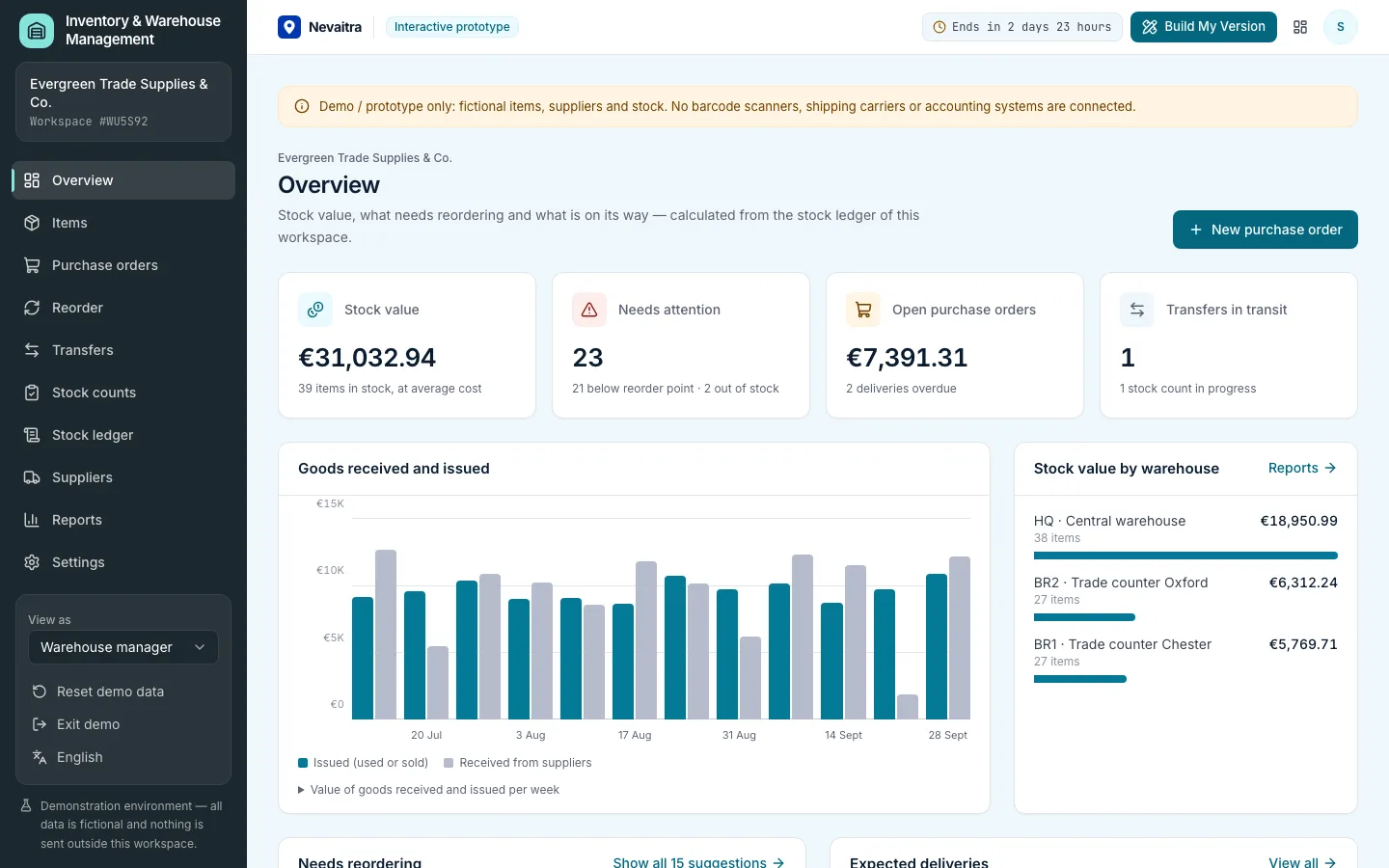
Inventory overview with stock value, items below their reorder level and incoming purchase orders

Inventory & Warehouse Management

Stock in several warehouses, a complete stock ledger, purchase orders with partial receipts, transfers, stock counts, reorder suggestions and average-cost valuation.

  • Items and stock levels
  • Stock ledger
  • Purchase orders
  • Partial receiving

Built with: Next.js · TypeScript · PostgreSQL · Prisma
RetailLive demo
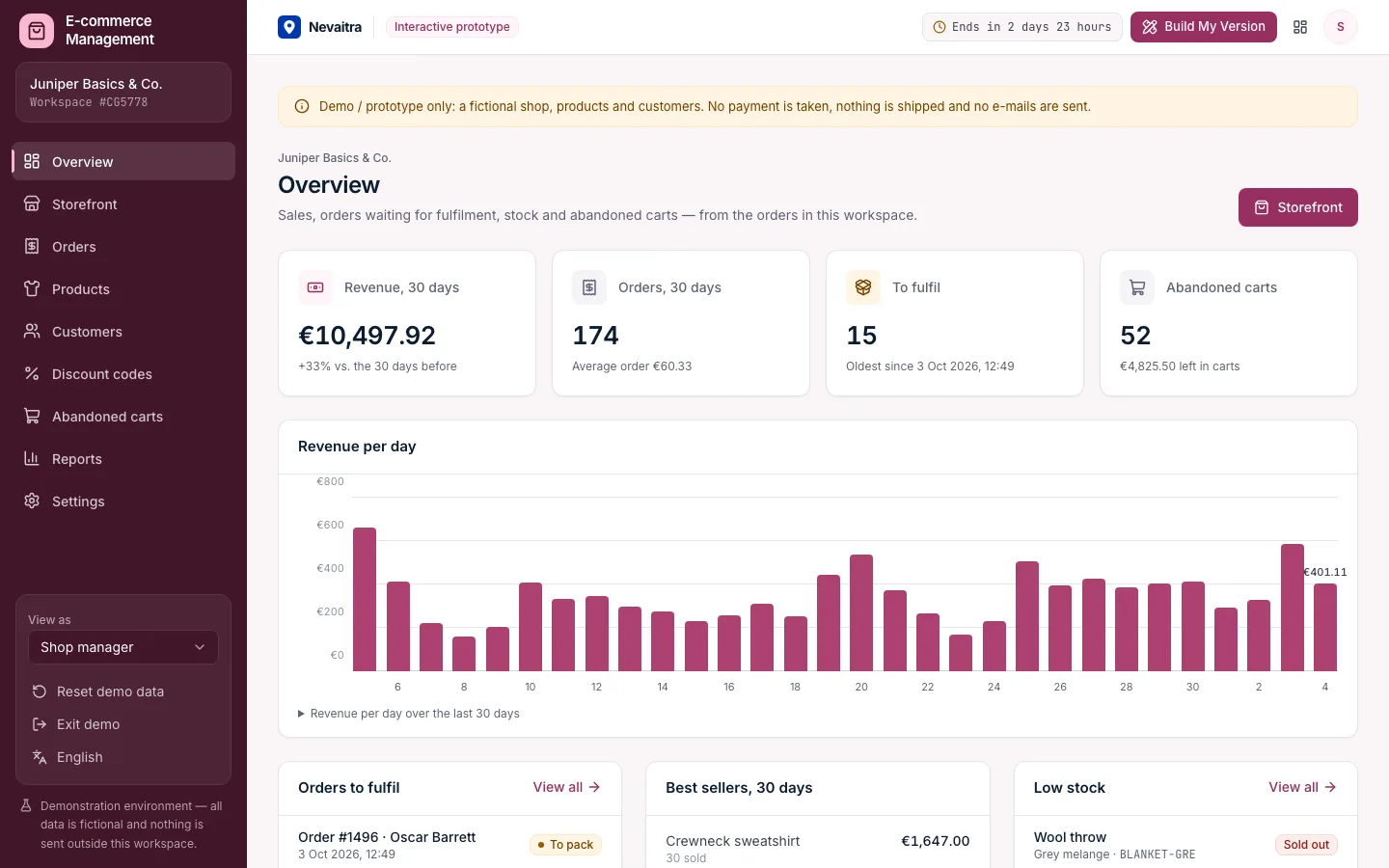
Shop overview with revenue, orders to fulfil, best sellers, low stock and abandoned carts

E-commerce Management

A shop back office with a working storefront: products in sizes and colours, checkout with discount codes, fulfilment with tracking, returns, customers and abandoned carts.

  • Storefront
  • Cart and checkout
  • Orders
  • Fulfilment

Built with: Next.js · TypeScript · PostgreSQL · Prisma
ProductivityLive demo
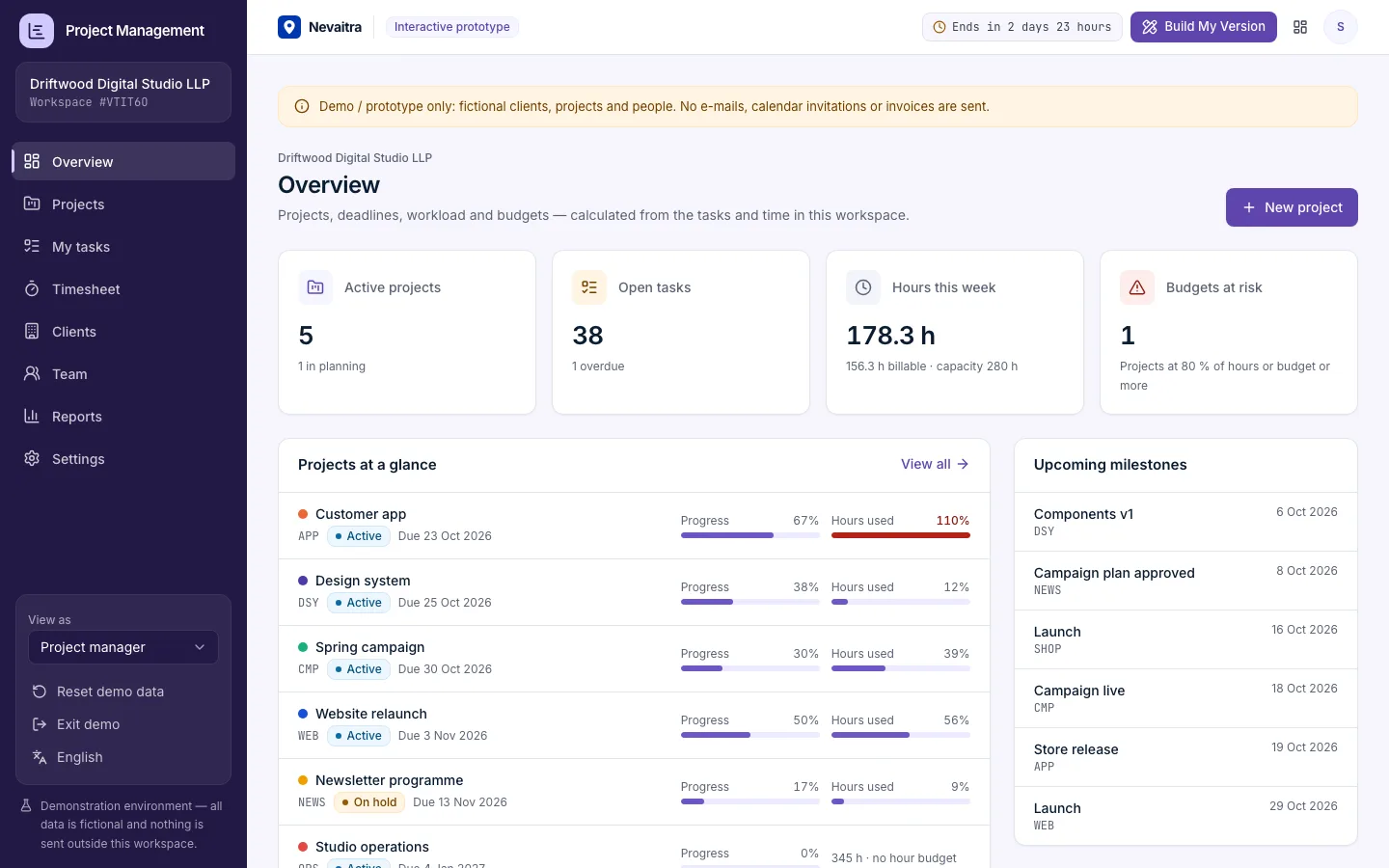
Project portfolio overview with active projects, budgets at risk, overdue tasks and hours logged

Project Management

Projects with milestones, a Kanban board, task comments, time tracking against tasks, budget vs. actual in hours and money, and a read-only client view.

  • Kanban board
  • Tasks
  • Milestones
  • Time tracking

Built with: Next.js · TypeScript · PostgreSQL · Prisma

Want this system, adapted to how you work?

Request a customized version. Mention what you tried in the demo and what needs to be different.